Operations managers
Review workforce distribution and operational indicators to identify needs ahead of the next rotation.
WORKFORCE PLANNING · OIL & GAS
From the next rotation to the next offshore transfer. Manage teams, projects, travel and accommodation in one platform.
Request a free demo ↗A conversation about your operation. A demonstration of WFPP.
MEET WFPP
WFPP — Workforce Planning Platform — is workforce rotation planning software that brings employees, schedules, project assignments, travel and accommodation together. It helps operations teams track who is working, on leave or travelling and prepare the next mobilisation.
For oil and gas companies and service providers operating onshore or offshore, planning means connecting workforce availability with project needs, travel arrangements and accommodation.
Review workforce distribution and operational indicators to identify needs ahead of the next rotation.
Organise work and leave periods and coordinate employee assignments to projects.
Plan travel and accommodation alongside workforce mobilisation.
FROM PLANNING TO MOBILISATION
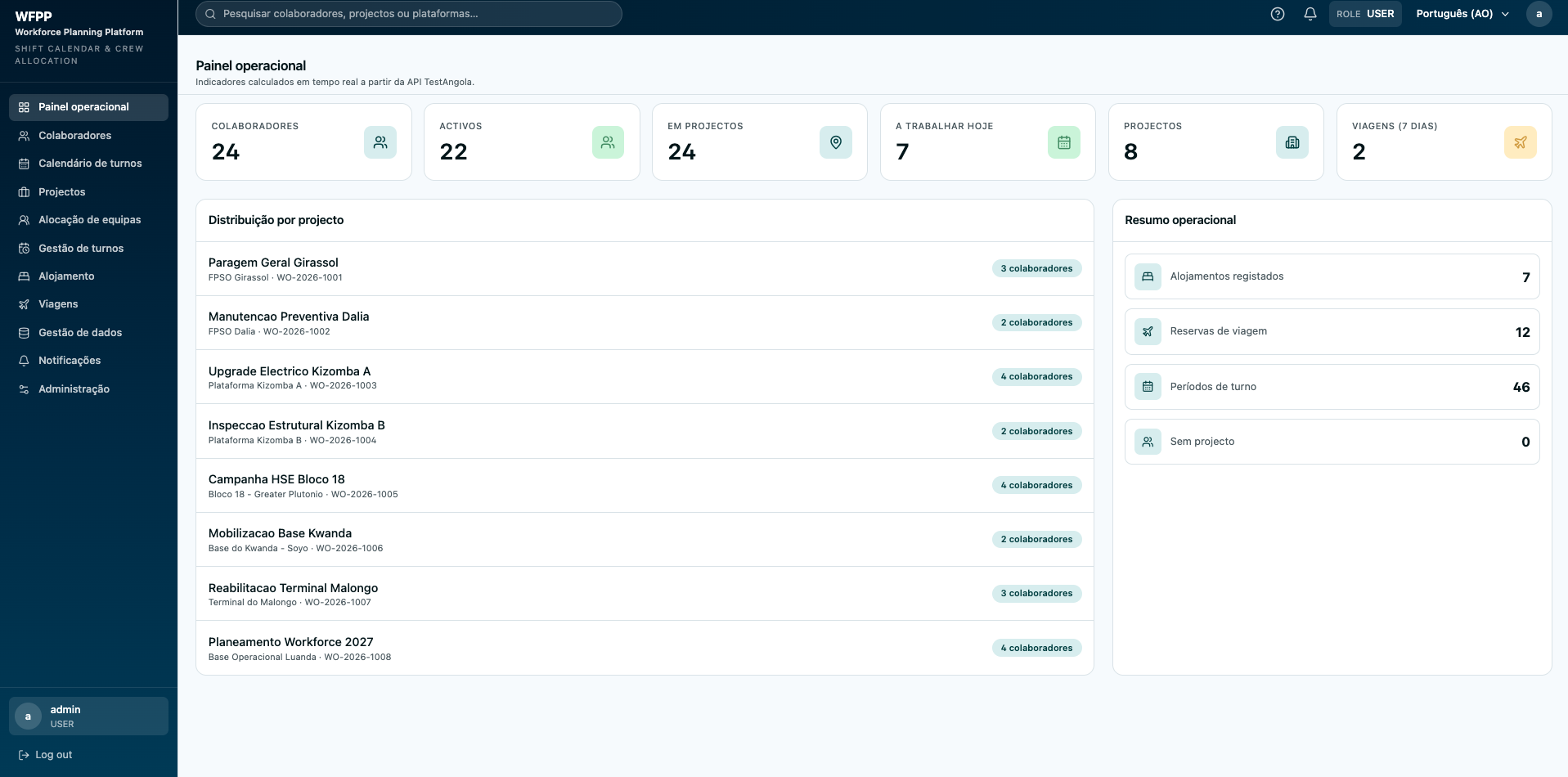
Actual platform screenshots. The interface shown is in Portuguese.
Register employees, define rotations and track work, leave and travel periods.
Plan teams and assign people to projects to help avoid overlapping assignments.
Prepare travel and accommodation in advance, connecting logistics with workforce planning.
Use indicators and reports to monitor operations and identify what needs attention.
During a demo, we walk through rotations, projects and accommodation to show how WFPP supports this process.
A spreadsheet may be enough for a simple plan. When several people update different files while travel and accommodation are managed separately, maintaining a shared view becomes harder. WFPP brings these areas together to make information easier to consult and coordinate.
Use the demo to compare your current process: how do you identify an overlap, find a project team and arrange accommodation for incoming staff? These questions help you assess whether WFPP fits your needs.
LET’S TALK
Request a free demo via WhatsApp. Tell us how you manage your teams, explore the platform and discuss your planning needs.
Yes. Request a free demonstration to explore the platform and ask questions. This is a product demonstration, not a statement that the software is free.
Employees, workforce rotations, project assignments, travel and accommodation, with operational indicators and reports.
WFPP is presented for operations that coordinate rotating teams and mobilisation, including oil and gas teams working onshore or offshore. Use the demo to review your specific requirements.
Enter your name and company above and send the prepared WhatsApp message. You can also contact comercial@wfpp.app.
CONTACT